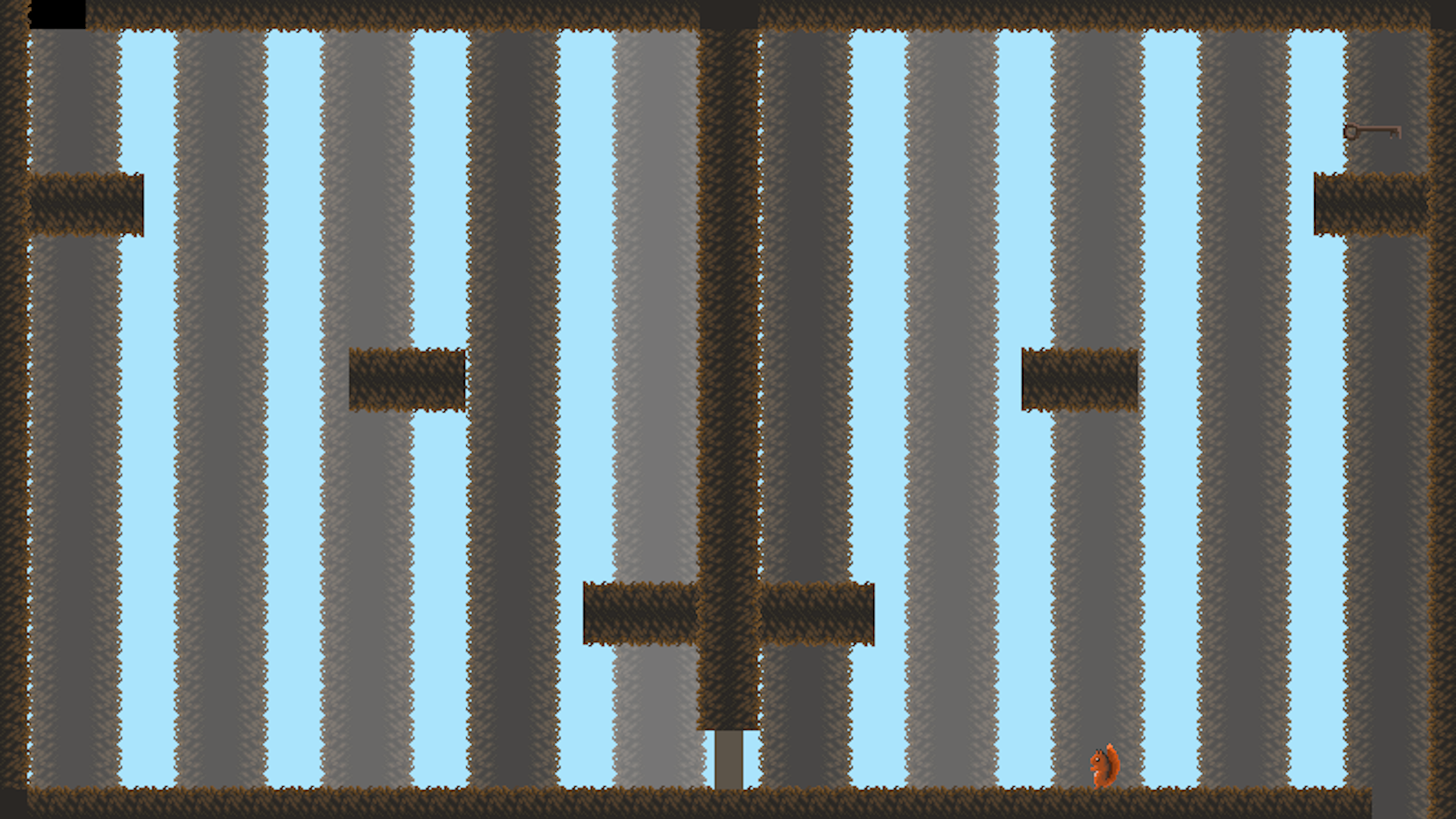
Dev Log
April 5, 2024
Since I have neglected making a post so far for this project, I will try to cover what I have done to this point in as much detail as I can remember. I will try to post more frequently going forward.
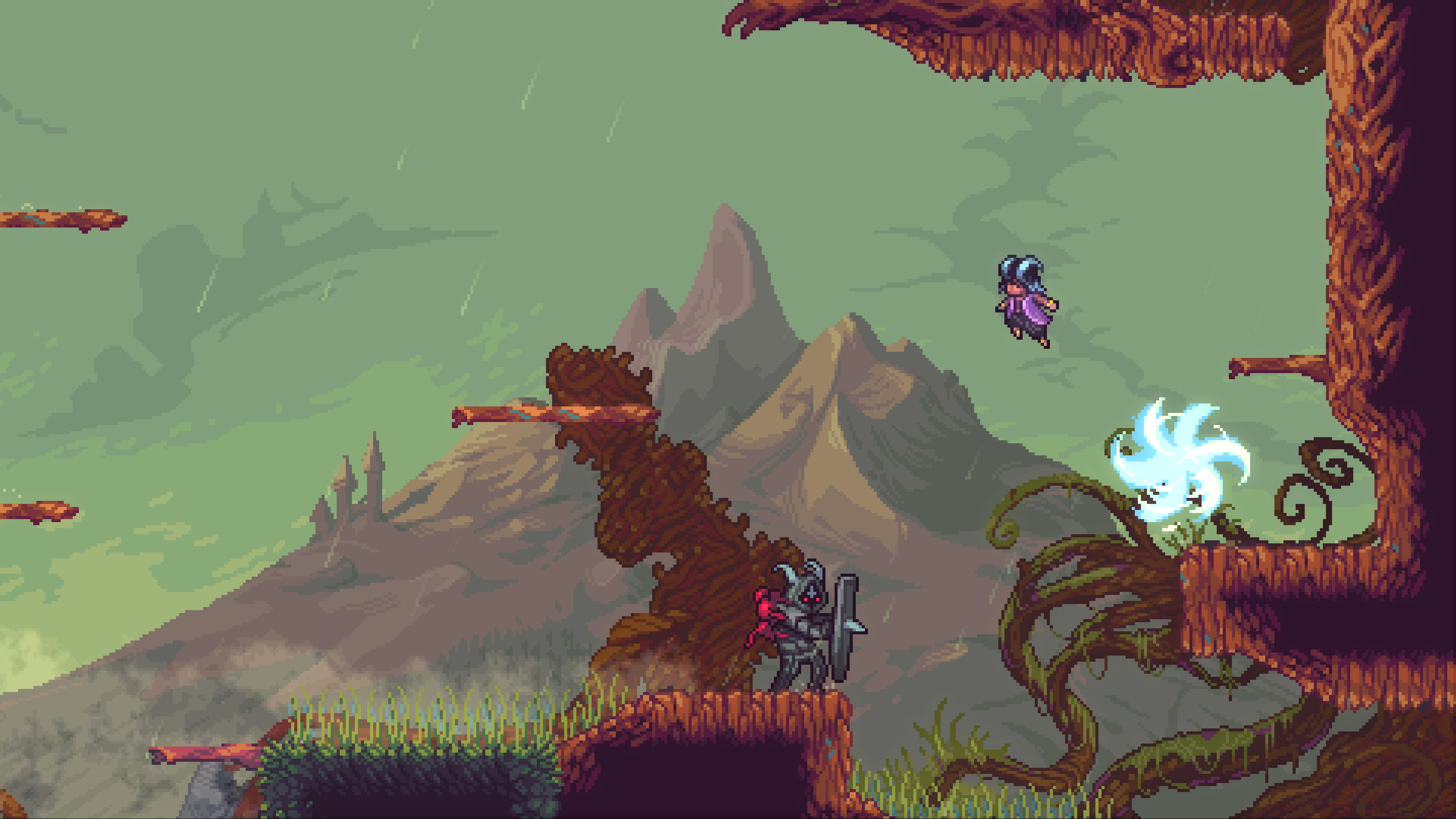
Firstly, I will go briefly go over my plan for the project, this will be very brief, as I have covered this in more detail in the submission. I will be making a vertical platformer, taking inspiration primarily from Celeste with a squirrel theme. The main things I plan to include aside from the platforming fundamentals of moving and jumping are, acorns which can be picked up, thrown, and used to weigh down buttons, and some form of collectible to increase replayability. I also would like to have some form of floating mechanic, but exactly how this works will depend on testing to figure out how to not make the platforming too easy with it.
I have designed a squirrel sprite for the protagonist which took a few iterations to iron out and will take some more when I get around to adding the animations.
 →
→  →
→ 
The first iteration's tail was a little too upright, and then the shadowing didn't quite look right on the second, so I kept making modifications until the third version which is the final one so far.
I designed the first version very quickly in order to get an image to display on the screen to test my display code, and then by the time I got to making collisions, I needed a sprite for a second object, so I quickly made a crate sprite as shown below. I also, for clarity made a temporary background, which currently doesn't look very good, so I will try to make a better one at some point.

Currently, I am at a stage where I have basic room loading for the first room, and a circle and box collision detection system which currently prints a detected collision to the console as shown below.
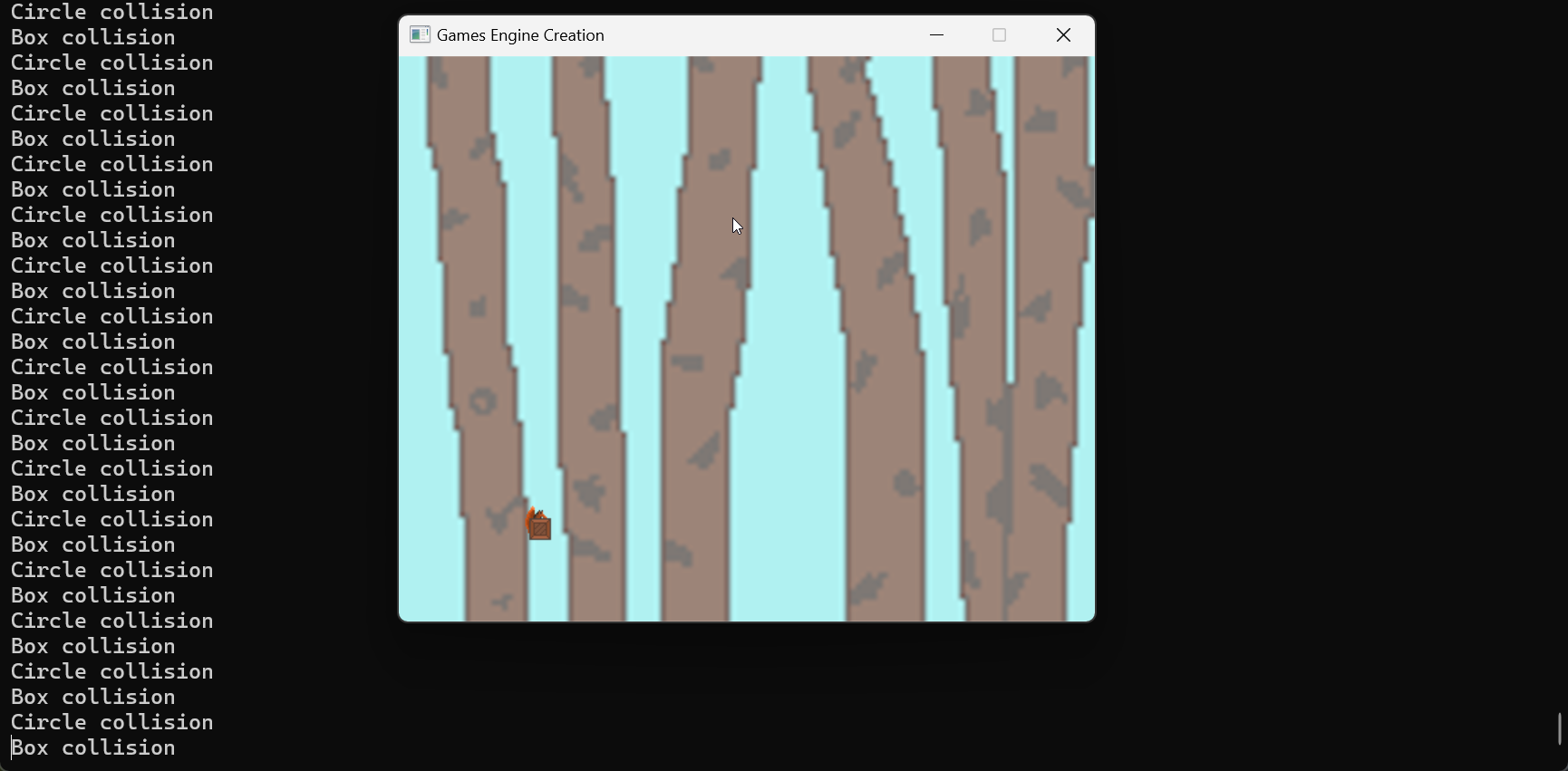
Since, I am currently, behind where I planned to be, I shall have to do a lot of work next week to attempt to catch up, but I am not too worried currently, as I don't think it should take me too long to catch back up.
April 5, 2024
In preparation for adding gravity to my game, and eventually jumping, I reworked my player movement system to use a velocity vector to tell the player (and other GameObjects) how to move, this way, I was able to set up a blocking box collision function to tell me what direction, a collision is happening in so that I could easily check the direction of the collision against the direction that the game object is moving in, and if they match, the velocity on the respective axis is set to 0 to stop the player (or other GameObjects) from moving through what they collided with. This means that when I come round to adding gravity, which should be as simple as decreasing the y velocity by some value multiplied by deltaTime every frame, I should be able to create some GameObjects that ignore gravity to act as a floor to stop the player (and other objects like my boxes) from falling forever., This will then enable me to make a jump mechanic, which should only take adding a static value to the y velocity on a key press (as well as some way to check that the player is on the ground, which will likely be more complex).
April 8, 2024
Today I first refactored a bit of my collision code so that it was all within the collision file and slightly easier for me to use in the future. Then I added a gravity variable and function to my GameObject class and called it in my character's update function. I made a variable for the gravity as if I am going to add a way for the squirrel to float in game, one way to do this is to just adjust the gravity variable (though I may decide to instead limit the downwards velocity). I added a very temporary floor sprite and then created a very basic way for the player to jump. I will most likely change this way of jumping in the future as it currently checks if the vertical velocity is 0 to ensure that the player can jump which could in theory happen in the air and cause bugs later on.
Above is a video showcasing the gravity, jumping and collisions working in my game. The values for gravity and jump strength are not final, but I will need to know more about how the game will look in terms of platforms to better understand how the gravity and jump height affect the gameplay.
When I was testing my game, I also found some bugs as shown below.
Based on my testing, I have figured out that the second bug is caused by an interaction with the collision with the box, and the way that I have done my movement. The first is more simple and happens when holding right and then pressing and releasing left. When I next work on my game, I will try to figure out what exactly are the issues and fix them.
April 13, 2024
Over the course of this week, I have fixed the bugs showcased in my previous post by reworking my movement system. The player now moves by accelerating up to a maximum velocity, and stops by decelerating twice as quickly. I also decided to try and base the movement speed and jumps heights off of how quickly squirrels run and jump. I did this by imagining each pixel to be approximately 1 cm, which also happened to line up with the height of my character. I found a value online saying that squirrels can run at up to 20 mph which is about 894 cm/s, when I tested this value in game, the squirrel moved way to quickly and was off the screen by the time it reached its top speed, so I decreased this significantly to 400 pixels per second. For the acceleration, I couldn't find a value online, so I just guessed 800 pixels per second squared since I know that squirrels can accelerate quickly to escape predators. I found that squirrels can jump over two meters, so setting gravity at approximately 980 pixels per second squared, I calculated an initial velocity of 627 pixels per second to allow the squirrel to jump 200 pixels. Plugging these values as well as a terminal velocity for falling of 1028 pixels per second, revealed a glitch that I was hoping to avoid which is that the squirrel can fall too quickly for my current collision checks meaning that I will have to rework my collision to be predictive. In other words, the squirrel can currently move from one side of the collision boundary to the other in less than a frame so I will have to include a calculation to check if the character will have moved through the boundary and then stop it on top of the boundary.
I also created new sprites for the ground as can be seen in the video. I first created the one for the top layer of grass which is 16x18 pixels, I then rotated this around to make side and bottom versions, and created a brown 16x16 sprite for middle layers. I will likely need to make inside and outside corner versions to allow for good-looking changes in height of the ground. I also will have to make a version that looks like wood as after climbing a little bit, it will quickly make less sense for there to be grass higher up.
April 17, 2024
Since my last post, I spent a great deal of time reworking my collisions to a predictive check and reworked my movements to support this change. In the process I did some future proofing of the scripts meaning that hopefully I won't have to spent much more, if any time reworking these two aspects of my code again. I am still behind where I had planned to be as I have not yet added doors or keys or started on the throwable acorns, but doors and keys should be two fairly simple classes which will inherit from my game object class and each have an ID int so that when the key is picked up, the door with the same ID should open. I am also thinking that I don't want any complex enemies which should save me time later.
April 22, 2024
On Friday, I reworked my level 1 class to inherit from a parent level class which sets up the player, background, and a new loading zone GameObject since these will be present in every level and it will speed up making new levels. I also changed the update function for the levels to return a bool so that when it returns false, the next level will be loaded. This would be done when the player collides with the room loading zone GameObject.
May 7, 2024
Over the past 2 weeks since my last post, I first added a level 2 class which holds a blank level to test that my level changing system was working. Then I added a game text class to render text to the screen, I am unsure currently what I am going to display with it. I am thinking maybe the level number and possibly a timer showing how long you've spent in the level.
Following this, I added a door class for objects that will block the way and move depending on certain conditions. The first way of opening would be by the player picking up a key, so I added a key class which holds a reference to a door and when collided with, sets a bool on the door which will then cause the door to open. Initially this collision code was just in the level class, but that was messy and meant that a lot of code would have to be copied for each key. To solve this, I gave the key a reference to the player in its constructor and put the collision code in the key class. Following this, I wanted to add a pressure plate to be able to open doors as well, this meant that I had to modify the door code so that it could be closed as well as opened when the bool was set back to true. I also then modified the key to set itself to delete when it is picked up. To do this, I modified the update of the GameObject class to return a bool so than in the level if it returns false, I can delete it and deal with the memory.
The final change I made was adding an input handling class so that my character class doesn't have to worry about what control scheme is used it just checks the value of an enum returned from the function in the InputHandler class. I made it a Singleton class like the Collision class so that if I ever do any other class that requires input, it can just get the Singleton.
May 7, 2024
Here is a video showcasing the changes I referred to in the previous post as well as a layout for level 1 and a work in progress layout for level 2. I have also changed the screen side since my previous posts as I found that the Evercade's screen size was different to the one I was previously using when I tested it on the Evercade. I will need to change the background to fit this new size.
May 13, 2024
Last Friday, I started by making a Wall class so that I could put the collision code into the Wall’s update method to speed up making new levels. I also set the spawn position so that it works on a 16 x 16 tiling system, so I don’t have to set an exact position for each tile. Both these changes should speed up my workflow when making new levels, to allow me to make new levels faster.
Following this, I added a Spike class which inherited from the Wall class so that I could use the Wall update method for objects that don’t take damage, and for the Spike’s DamageUpdate, it could return whether a collision had happened, and this could be used to reset the current level.
To handle room resetting and going back to previous rooms, I reworked the level loading system to use an Enum that is returned by the Update method so that it can be used to move to multiple levels depending on the loading zone entered. This would also let me reset the room, by closing and reloading it.
Finally, I started making a LoadingZone class to move some of the logic for changing room, out of the level class. This is currently unfinished.
May 30, 2024
Since my last post, I first finished making the loading zone class so that it is easy for me to add multiple loading zones to each level. Following this, I added a variable to the level constructor to pass what the previous level was to it. This means that I can make levels enter-able from the front and the back which helps to make the world feel more connected. This also makes my game more scalable if I want to if I return to the game in the future. I also updated the pressure plate script to make the collision checks self-contained to further speed up level design.
Following this, I gave each screen a reference to itself so that I could implement a death mechanic by reloading into the same level, this would be used with the spikes. I then also added collision into the door Update method since I would never want to have a door without collision.
I then redid the background and made the layout of of level two to utilise my keys. Following this, I added a menu, a help screen to tell the player the controls, and an end screen, before adding a third level to utilise my spikes and the pressure plate. To use the pressure plate, I had to make an object which could be pushed which involved also adding a method in my collisions class to deal with pushing objects. It took me a while to get this collision working as I wanted the player to be able to move still whilst also stopping the player and I didn't want it to be too fast. At first I ended up settling for essentially ice physics where the player walks at it and it slides along. Originally I attempted the pushing by matching the player's speed which didn't work since the player could go through it by accelerating or walking towards it whilst it was against the wall, this was also too fast so I cut the speed of both the player and the box in half and added matching the box's acceleration to the player's. This also didn't work so I then I also added the regular blocking collision as well which meant that the collisions worked occasionally. Eventually, I realised that what was causing issues was halving the player speed in the collision function since it was called on every colliding frame essentially just stopping the player. Upon removing this line, I ended up with the slippery physics I mentioned earlier, until I later realised that by reducing the speed that the box moved at more, I could have it almost stick to the player like I wanted.
It was on this level too that I realised that I had a memory leak causing the memory usage to balloon every time a level was loaded which included when the rooms were reset. This caused increasing lag on every room load which eventually caused collision glitches at the start of the level. This was the glitch that took me the longest to fix due to it consisting of three main parts. Firstly, I had sometimes forgotten to delete dynamically allocated variables at the destructors of everything. Secondly since my game manager was storing the levels by reference to a parent class, I had to make the destructors virtual so that it would work its way down to call each specific level's destructor. Thirdly, and hardest to find, I discovered that I used '==' instead of '!=' in my check that a texture exists before deleting it.
The other thing that I did was, edit my images so that they all have white backgrounds that I can chroma key out since the Evercade doesn't store opacity data and also make the key sprite slightly more noticeable and the door sprite more brown to make it look more like wood.
May 30, 2024
Today, I built my game to the Evercade. I found that there were some visual glitches, but my initial assumption was that the problem was with the images themselves (probably due to opacity on the images since I know the Evercade can't handle this) so I would only have to edit the images to repaint them the same. This turned out to be correct meaning that I didn't have to rebuild the solution.
Over the course of this project, I didn't end up sticking to the Gannt chart all the way through for multiple reasons. Firstly, my ideas about what the game should be changed such as with the floating idea and the air dash idea, which due to the realistic jump height that I gave the squirrel didn't seem necessary. Especially the floating which feels like it would be broken. I could still take this project further in the future by adding an air dash, but I may need to alter the balancing to do that. Secondly, due to burnout, I lost some momentum midway through the project so I had to cut things due to time constraints, this is the case for collectibles, which I would've added if I had the time as they don't fundamentally change the game. Once I was far enough through development, this shaped my ideas about how the game should be in part to how the game already was so many features ended up feeling like they'd change the game too much. The other thing that changed my plans was things taking longer to make than expected due mainly to bugs. Over the course of the project, I have learned better what to look for in terms of finding bugs, which should help me to be faster in the future. I also need to pace myself better so that the amount of work I do every week is more consistent.
Overall, I am happy with the final game that I made. I feel like it is at a good state that I can easily expand upon it to the point of it being a game that I can publish. I will learn from my mistakes across this project to ensure that in the future my games will be even better.